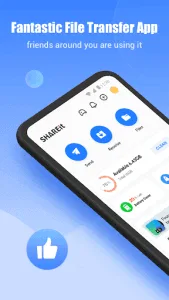
File sharing between devices has never been easier or faster than with SHAREit. This powerful app allows you to transfer all types of files at lightning speed without needing an internet connection. Whether you’re sharing photos, videos, apps, documents, or even large games, SHAREit is the perfect solution. With transfer speeds up to 200 times faster than Bluetooth, you can send massive files in just seconds.

SHAREit
Smart Media4U Technology Pte.Ltd.
Download
70.91 MB
SHAREit Screenshots
1 / 8
70.91 MB
Size
6.53.58
Version
6.0+
Android
Universal
Arch
About SHAREit
File sharing between devices has never been easier or faster than with SHAREit. This powerful app allows you to transfer all types of files at lightning speed without needing an internet connection. Whether you’re sharing photos, videos, apps, documents, or even large games, SHAREit is the perfect solution. With transfer speeds up to 200 times faster than Bluetooth, you can send massive files in just seconds.
Key Features of SHAREit
Ultra-Fast File Transfer
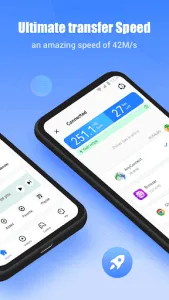
SHAREit enables file transfers at speeds of up to 42 MB per second, making it the ideal choice for moving large files without delays.
Supports All File Types
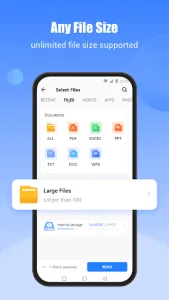
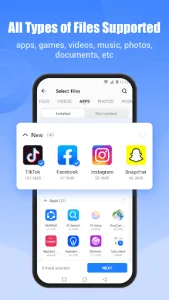
Easily share photos, videos, music files, documents (PDF, Word, Excel), apps, games, and more without any restrictions.
No Internet or Cables Required
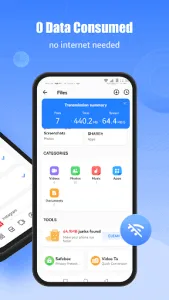
Using advanced Wi-Fi Direct technology, SHAREit allows you to send and receive files without using mobile data or external cables.
Cross-Platform Compatibility
SHAREit works seamlessly across Android, iOS, Windows, and Mac devices, making it easier than ever to transfer files between different operating systems.
Built-in Media Player
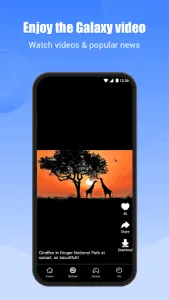
The app includes an integrated music and video player, allowing you to enjoy your media files without needing additional applications.
Phone Cleaner & Performance Booster
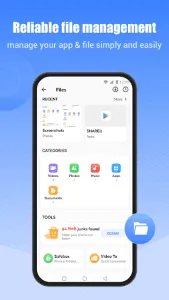
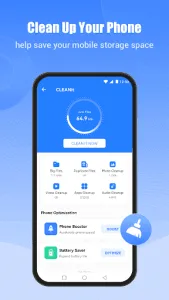
SHAREit features a built-in device cleaning tool to help remove junk files and unnecessary data, freeing up storage space and enhancing overall performance.
How to Use SHAREit for File Transfers
- Download and install SHAREit on both sending and receiving devices.
- Enable Wi-Fi and Bluetooth to establish a stable connection.
- On the sending device, tap “Send” and select the files you want to share.
- On the receiving device, tap “Receive”, and the app will scan for nearby devices.
- Once the connection is confirmed, the transfer will begin instantly.
Why Choose SHAREit?
- Blazing-fast transfer speeds of up to 42 MB per second.
- Compatible with all file types, including apps and games.
- Works without an internet connection or cables.
- Supports file sharing across Android, iOS, Windows, and Mac.
- Preserves original file quality during transfers.
- Includes additional tools like a media player and phone cleaner.
SHAREit is more than just a file transfer app—it’s a powerful sharing tool that makes data exchange between devices seamless and hassle-free. Whether you’re moving apps, media files, or documents, SHAREit is the ultimate solution. If you’re looking for an easy and efficient way to transfer APK files, this is the app for you.
If you need a fast, reliable, and easy way to transfer files, download SHAREit APK now and enjoy seamless file sharing between your devices—without internet, cables, or limits!
FAQs about SHAREit
Yes! SHAREit allows you to send installed apps from one device to another without needing to download them again from the app store, saving time and data.
SHAREit transfers files at speeds up to 42 MB per second, which is 200 times faster than Bluetooth, allowing you to send large files in seconds.
No. SHAREit does not need Wi-Fi or mobile data; it uses Wi-Fi Direct technology to transfer files.
Yes, SHAREit supports cross-platform file sharing between Android, iOS, Windows, and Mac devices.
The standard version of SHAREit contains some ads, but you can upgrade to SHAREit Turbo for an ad-free experience and faster transfers.
Additional APP Information
Package Name
com.lenovo.anyshare.gps
Developer
Smart Media4U Technology Pte.Ltd.
Category
Updated
Feb 12, 2026
Content Rating
Everyone
Signature
44d5df89bb0ec148bb95a5d87e8342e9d9fba2dd
Get it On

You are now ready to download SHAREit: Transfer, Share Files for free. Here are some notes:
- Please read our APK Info and installation instructions carefully for the game & app to work properly
- Read the FAQ carefully for more details
4.6/5 (1,434 votes)